Modern prototyping tools are built around linking static screens.
But modern products don’t behave as static screens - they behave through state, logic, and conditional flows. This mismatch forces designers to simulate behavior by duplicating screens and rebuilding flows, creating both inefficiency and a limitation in how designers can reason about complex interactions. I wanted to explore how screen-based workflows can be extended to represent dynamic behavior more directly, without breaking the visual workflow designers rely on.
How might we enable prototyping tools to represent behavior more dynamically, instead of forcing designers to reconstruct it through duplicated screens and flows?
A PROBLEM FELT ON BOTH SIDES
Early in my career as a product engineer, I implemented features based on designers’ prototypes. Later, after learning design myself, I experienced firsthand how prototyping tools often require repetitive work. Representing different states or user paths frequently requires duplicating screens or recreating similar flows. As prototypes grow more complex, this repetition makes them harder to maintain and harder for engineers to interpret during implementation. At scale, this creates inefficiencies across the entire development organization, from design to engineering.
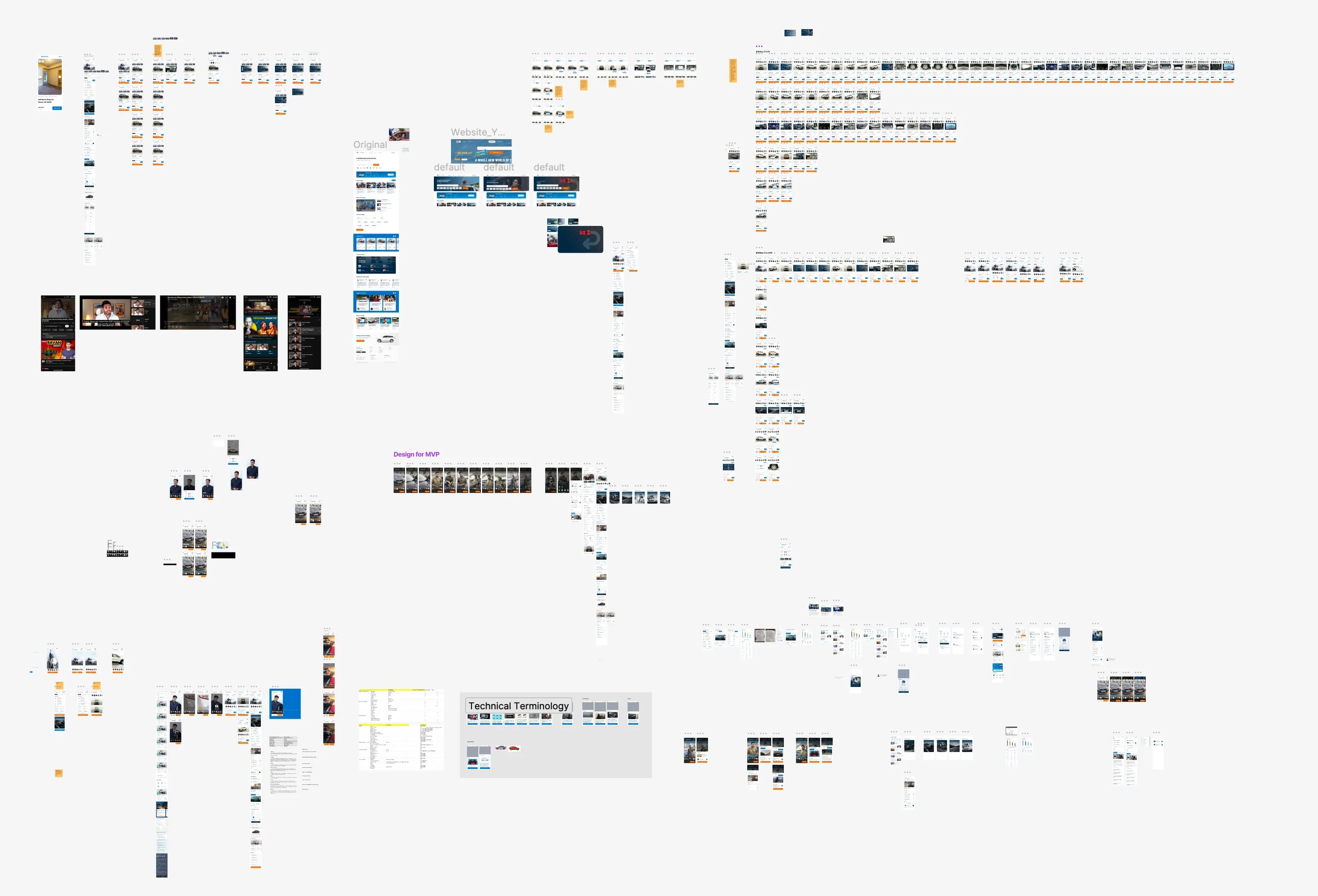
Messy Figmas - a tale as old as time
The core issue is not simply duplication, it is how prototyping tools represent behavior.
Most tools represent interaction by linking static screens, while real products behave through state changes and conditional logic. Because these behaviors cannot be expressed directly, designers simulate them by duplicating screens and rebuilding flows. Reducing repetition therefore requires allowing designers to model behavior without duplicating structure.
PROMPTING
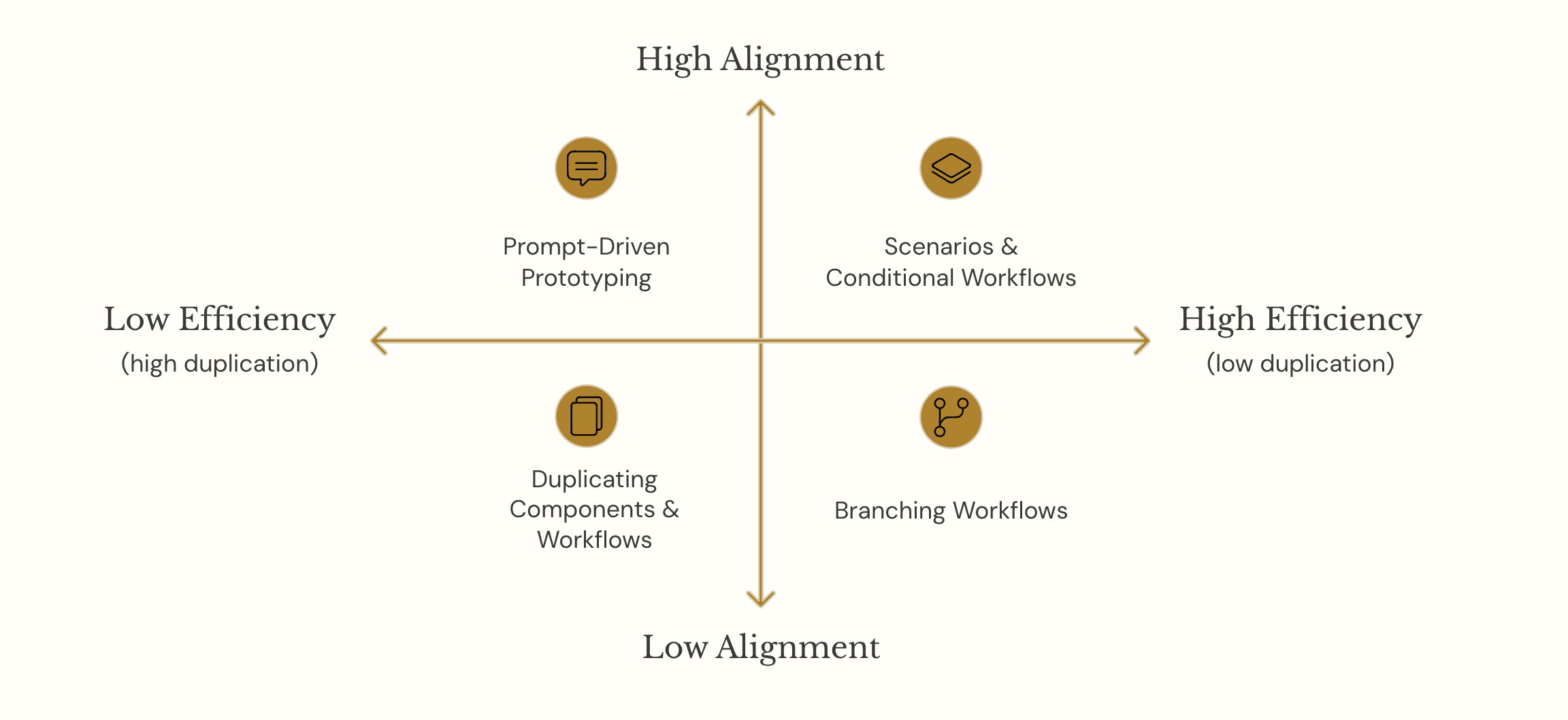
I first examined prompting-based prototyping. While prompting can generate prototypes quickly, it introduces a translation layer between intention and outcome and requires repeated refinement to achieve precision. Prompting shifts prototyping from manipulation to description.
This introduces friction because designers must translate visual intent into language, iterate through trial-and-error, and reconstruct context across prompts.
While effective for generation, it breaks the incremental and visual nature of design workflows.
BRANCHING
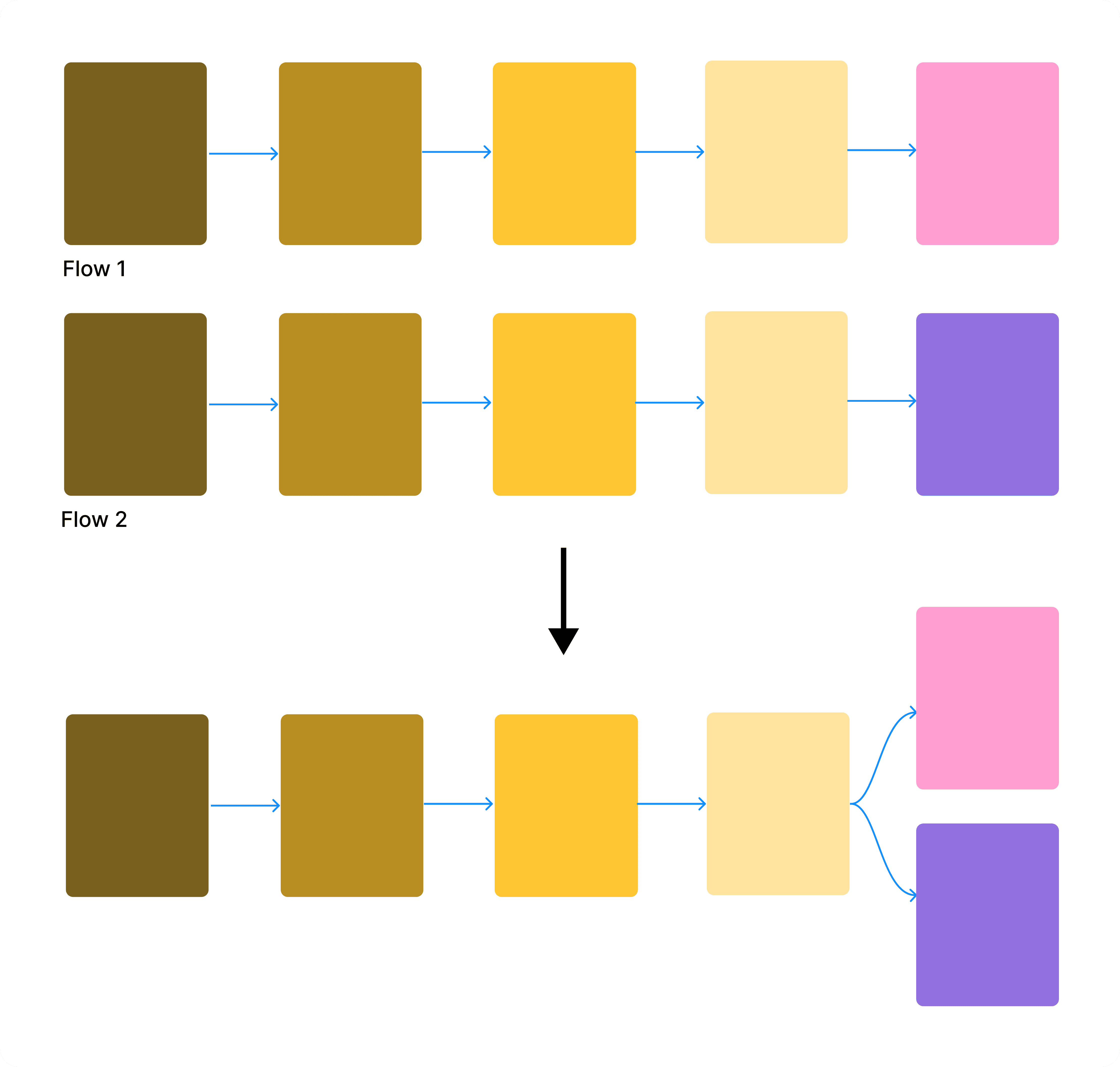
Instead of duplicating flows, designers could create branches from a single flow. The designer creates multiple branches from one interaction instead of duplicating entire flows. While this reduced duplication at the workflow level, it did not address repetition at the screen level, since designers still needed separate screens to represent different UI states.
A STORY OF TWO LAYERS
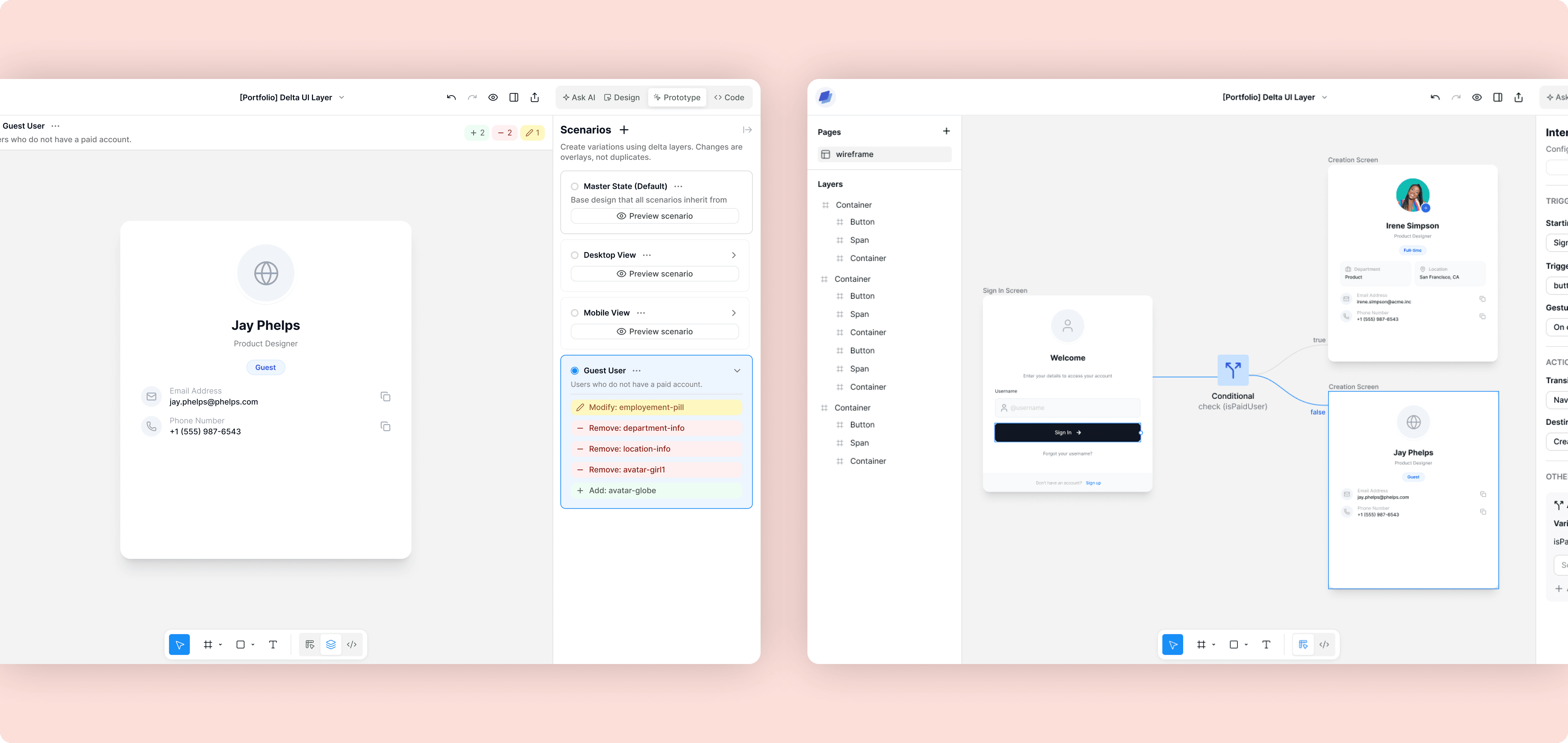
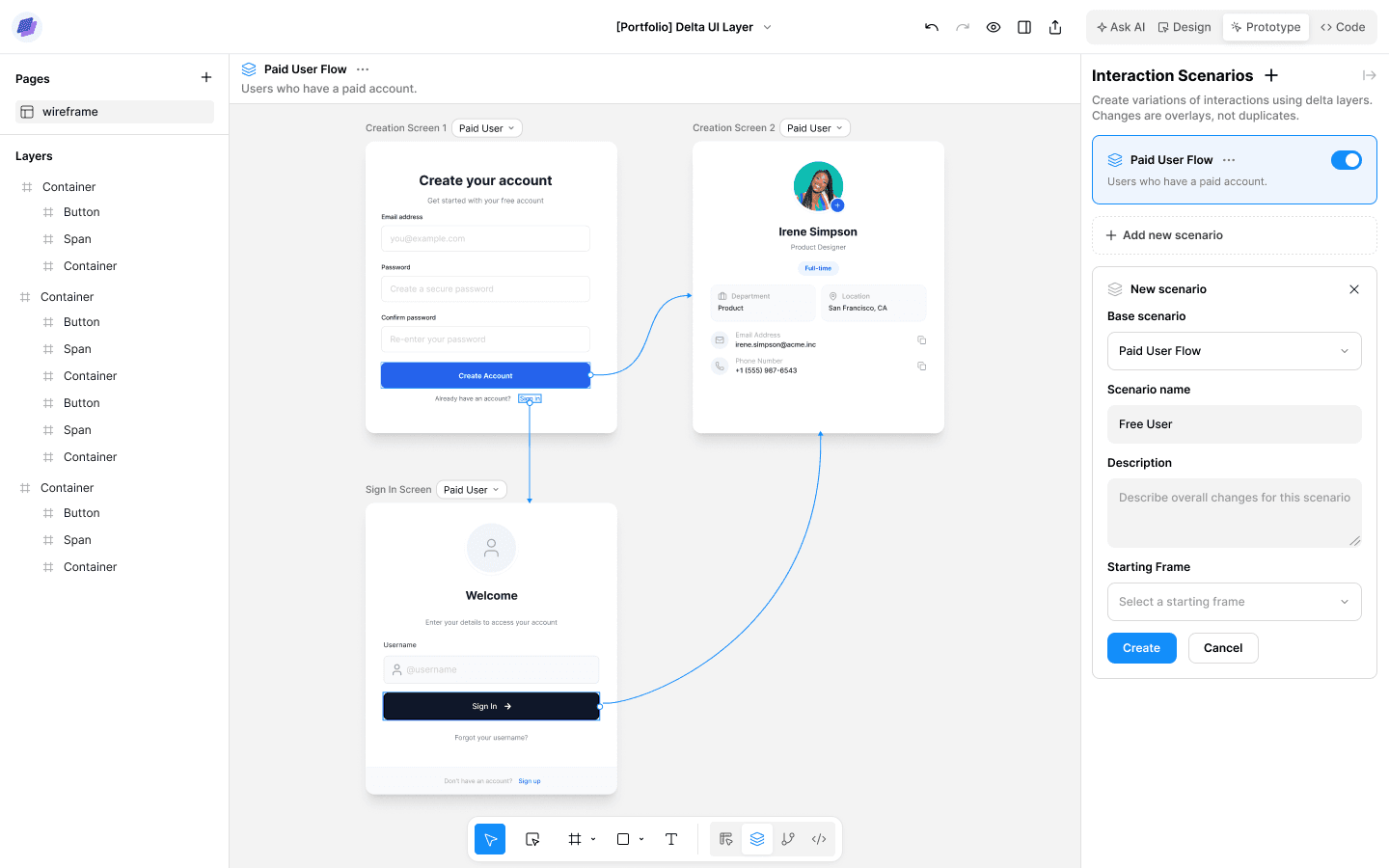
I introduced a two layer system: scenarios + conditionals. I wanted to preserve mental models that are already familiar with designers as much as possible.
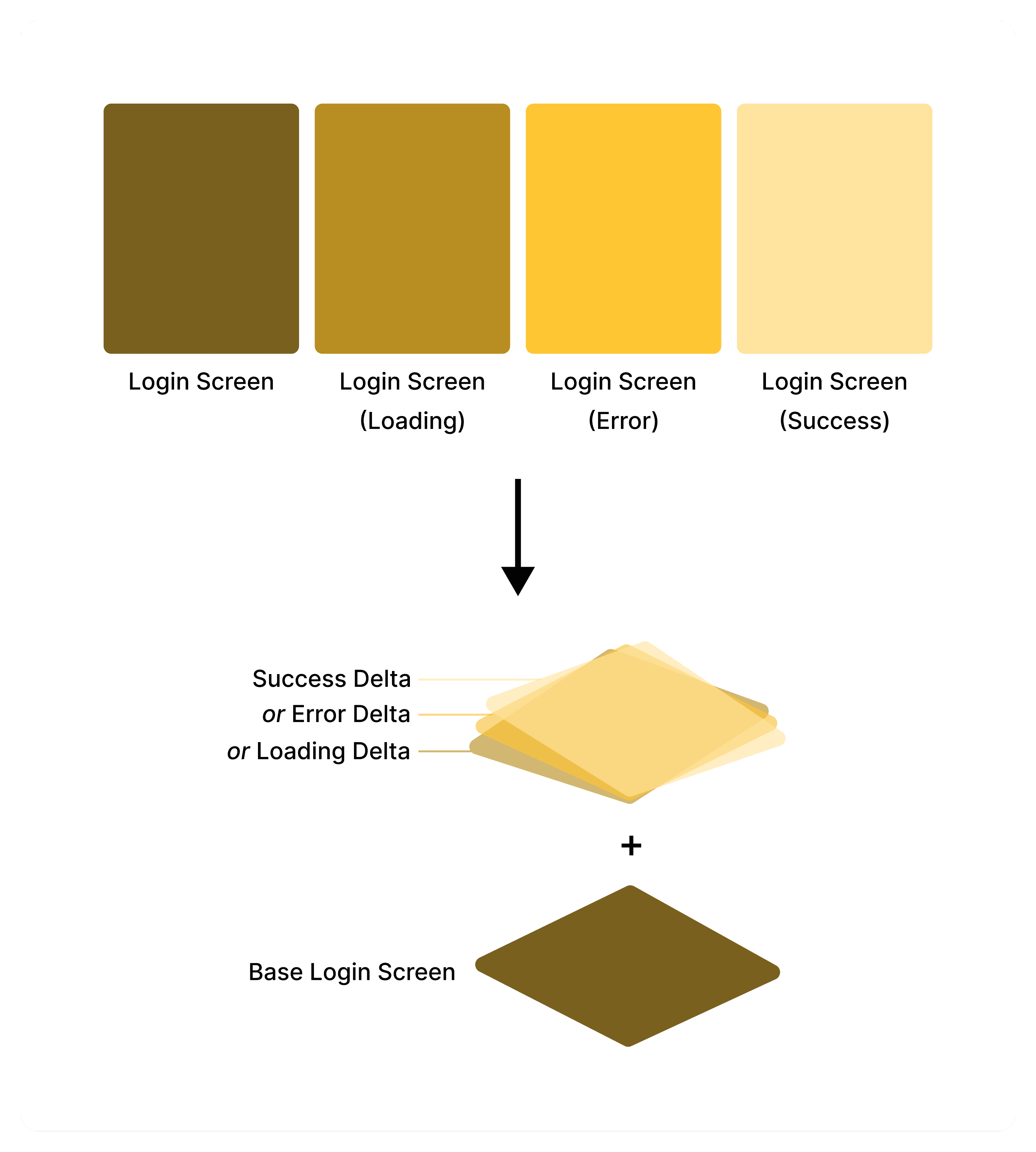
To address repetition at the screen level, I iterated on the concept of having a "base screen," which later evolved into the concept of "scenarios." The changes between screens would be summarized by AI and displayed with visual icons and colors that designers already associate with incremental modifications.
To address repetition at the workflow level, I have long been inspired by the concept of conditional statements (ie. if…else) in coding. It is one of the core fundamentals in coding, and one of the easier concepts for beginner and non-coders to grasp. I wanted to conceptualize it in the context of a visual, dynamic workflow.

Reusable Screens: Scenarios
Designers create variations of a base screen by layering changes instead of duplicating entire screens.

Reusable Workflows: Conditional Logic
Designers define logic that determines how screens connect based on conditions or variables.
REFINING OVER FOUR ITERATIONS
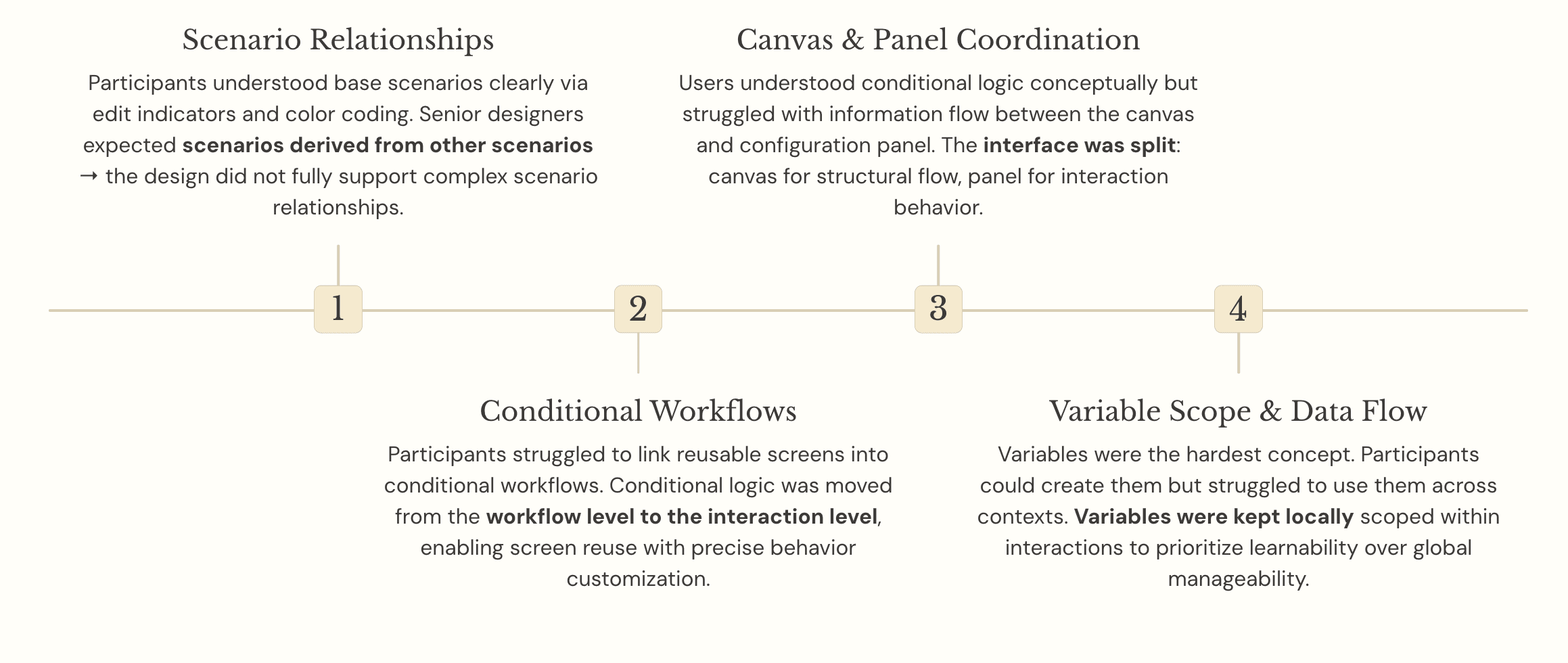
I knew some of the underlying concepts (ie. conditionals) were pretty technical, and I was curious how learnable these would be for designers. As I expected, users were able to learn how to use scenarios very quickly, but they struggled with conditionals. The reason for why they struggled was surprising though.
Users could interpret conditional logic once it’s visible, but struggled to construct it themselves.
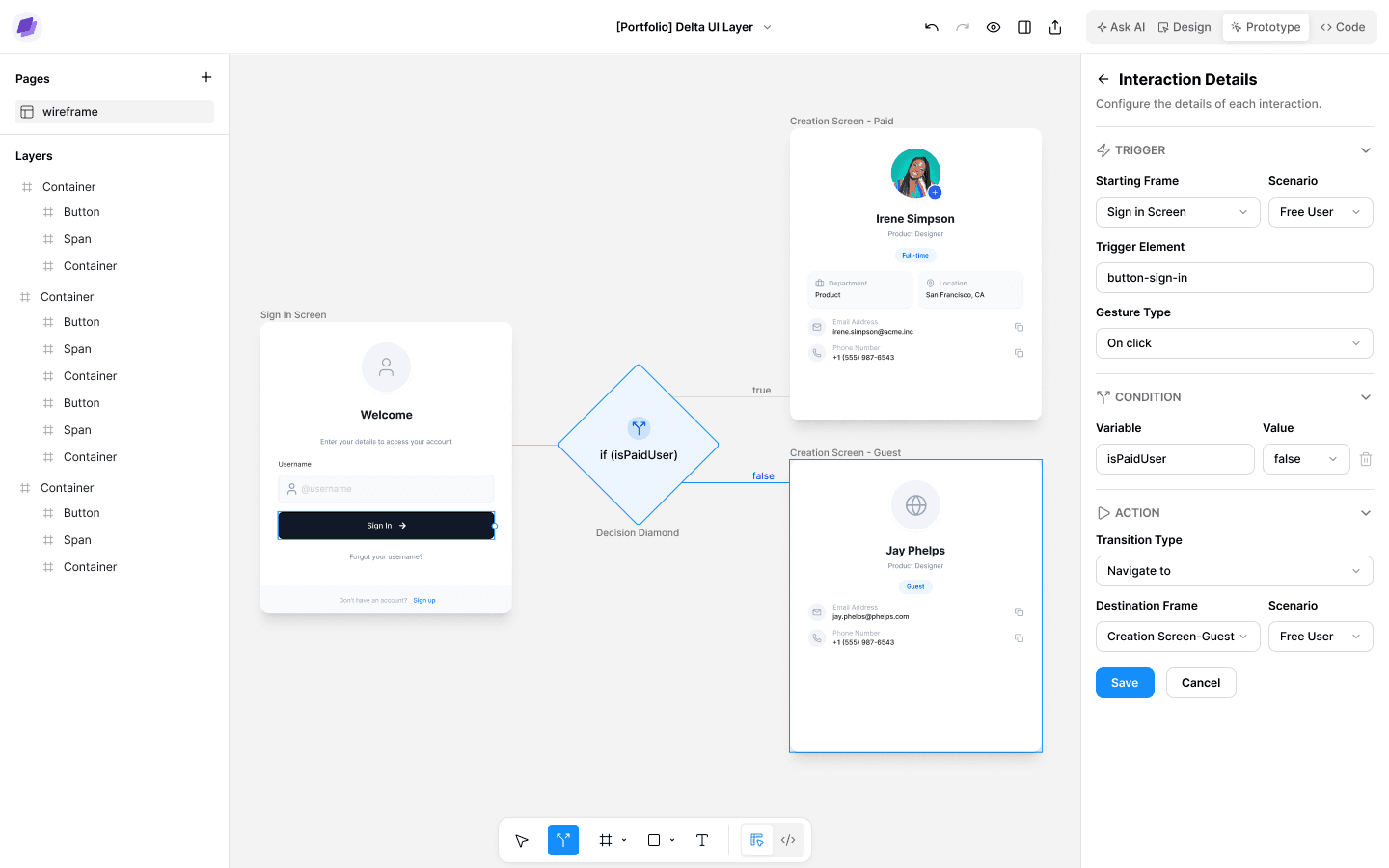
In order to make the points of interaction for controlling conditional behaviors more visible, I changed to surfacing them at the interaction level instead of embedding them within the overall workflow. After that change, more users were able to successfully learn to use variables, but there were still some that could not.
In those cases, participants struggled with variables not because of the concept itself, but because of how scope was defined. Variables were created within a specific interaction, but could be used outside of it. That broke the connection between where a variable was defined and where it applied. One option for resolving that was moving variables to the global level. However, the tradeoff there would be that global scope completely removes the contextual guidance for how variables should be used. To prioritize learnability, I kept variables scoped locally, ensuring that their meaning remained tied to visible context.
Iteration 1. Moving Conditional Behavior to Interaction Level
Conditional behavior was handled at the workflow level, but the interaction points for modifying it were fragmented, making it unclear where users should engage.
Iteration 2. Refining the Conditional Block
Conditional behavior now moved to the interaction level, but still refining how to add/edit a conditional block. The CTA should be loud to actively encourage users to engage, but also still signal optionality.
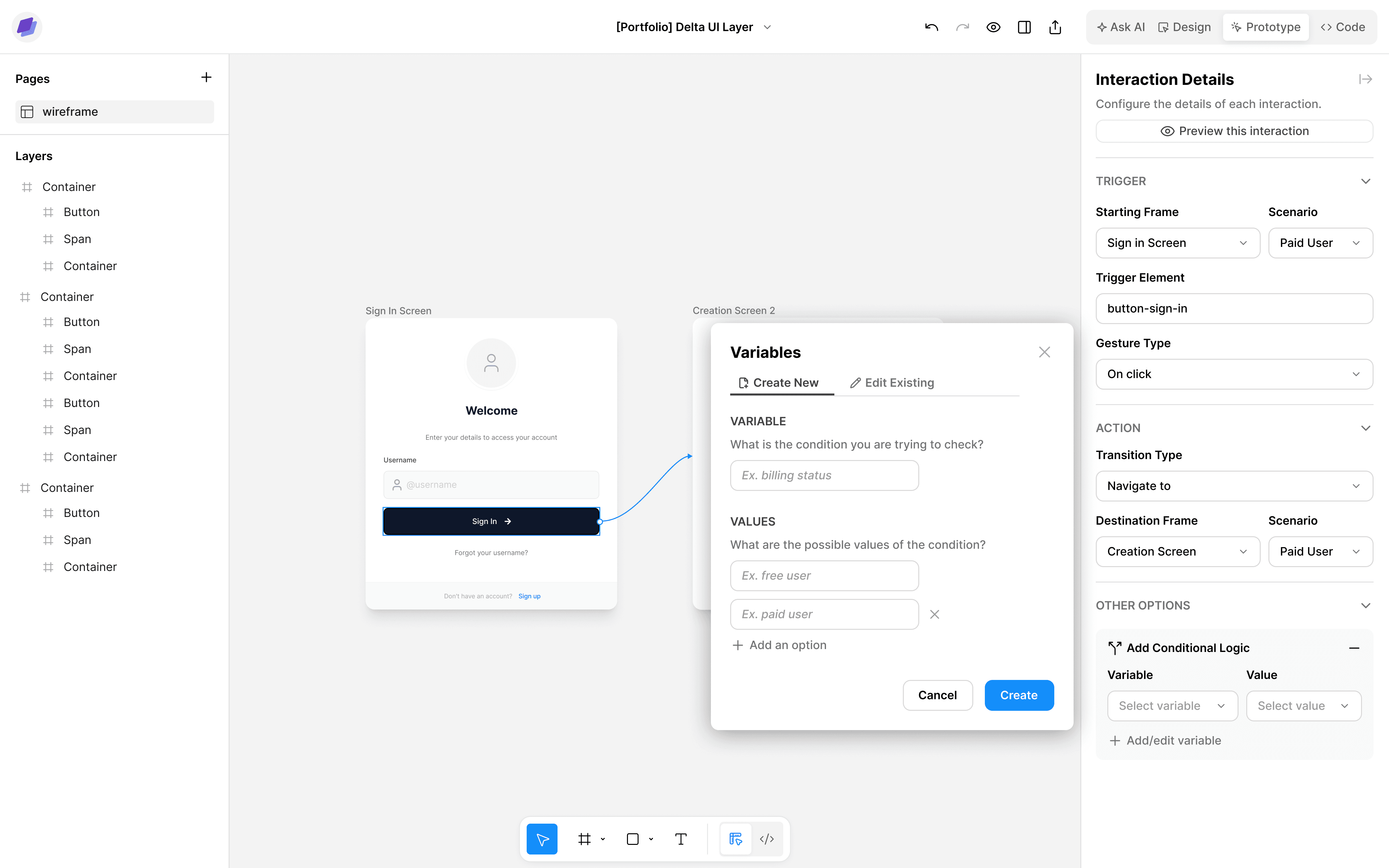
Iteration 3. Introducing Variables
I started fleshing out how variables are added/edited and how they fit in the overall flow. Variables are a pretty technical concept; how do I dilute that to be understandable for non-technical people?
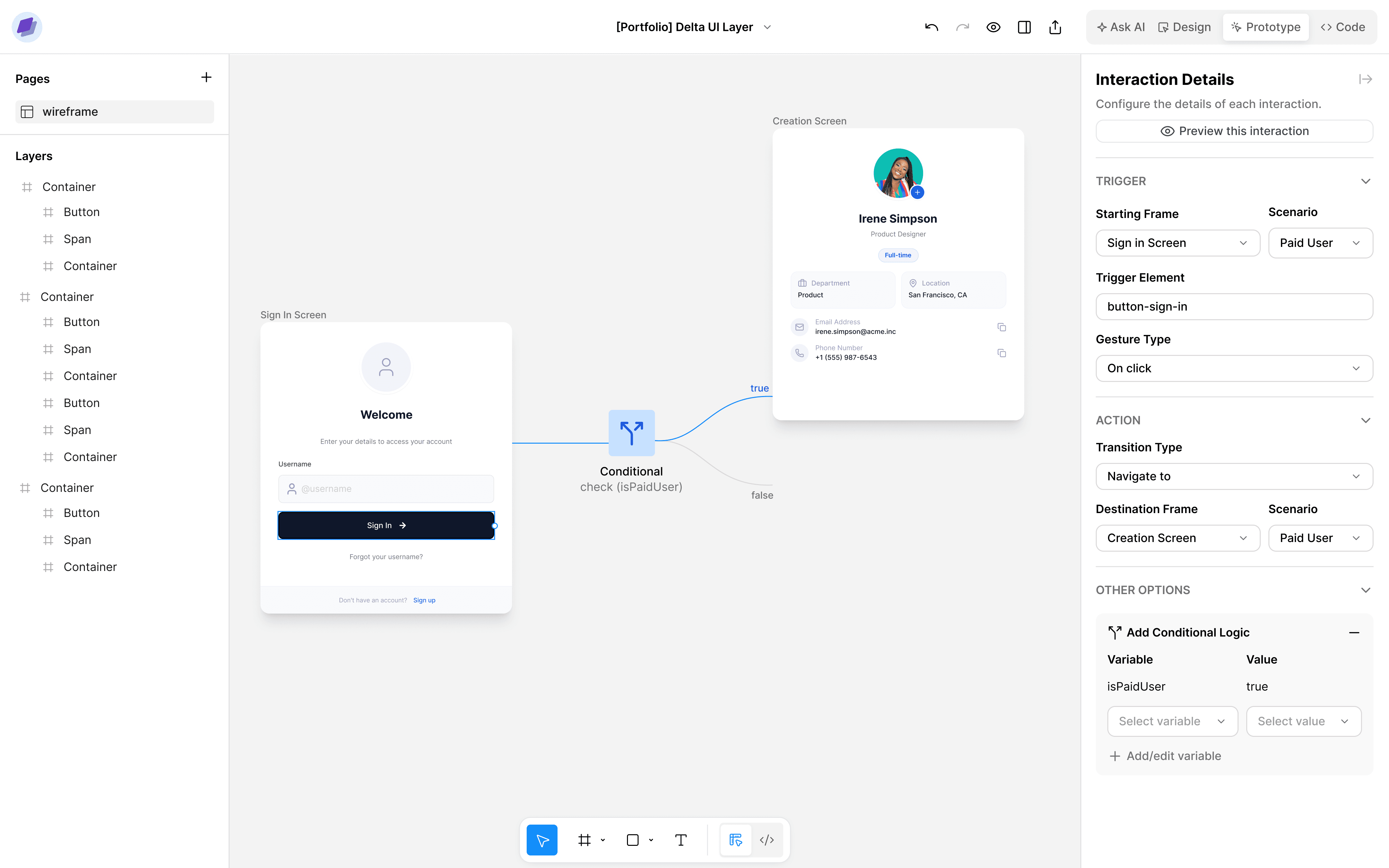
Iteration 4. Polishing for Scalability
Started polishing the conditional block UI to be useable at scale. Also started thinking about how should variables be managed at scale.
This project shifted how I think about introducing abstraction into design tools.
Initially, I approached the problem as one of reducing repetition. But through testing, it became clear that the real challenge was not duplication, it was how behavior is represented and understood. Features that remained tied to visible context, like screens and scenarios, were quickly learnable because designers could modify them incrementally and see changes directly. On the other hand, variables and conditionals were harder to adopt, because they introduced abstraction that was not clearly anchored to where it was defined or applied.
In a system, abstraction increases expressive power, but only works when grounded in visible context. When that connection breaks, the system becomes harder to learn and understand.
This revealed a key principle: abstraction increases expressive power, but only works when it remains grounded in visible context. When that connection breaks, systems become harder to learn and reason about.
Going forward, I think designing for complex behavior is not just about adding more powerful constructs, but about making sure those constructs remain visible within the workflow.